Likeness Kit · A2 Digital Products
Your scenes. Their face. Your machine.
Guests pick a scene, snap a photo, and get themselves in it in about five seconds. The face never leaves the computer under your table.
Guests pick a scene, snap a photo, and get themselves in it in about five seconds. The face never leaves the computer under your table.
Likeness Kit is on-premise software for putting a customer's face into scene images you own. It runs on a GPU machine at your venue or office: a job API, a worker that starts on boot and keeps processing, and a web front end where guests browse scenes, submit a photo and get the result in seconds. Credits are debited per image and refunded on failure. Nothing is uploaded to a cloud face service. Sold by A2 Digital per machine, with the engine licensed for that machine.
Cloud face tools mean customer photos on someone else's servers. Likeness Kit processes on the machine you own and deletes the source when you say so. That sentence sells booths.
About five seconds per image on a consumer GPU. Guests get their picture while the next one is already posing.
Curate the scene library for the event or the brand. Price per scene, sell credits, refund automatically on a failed job.
A desktop with an RTX 4090-class card, Windows or Linux. The worker installs as a service and starts on boot; the API and front end run alongside it.
Your own images, organized by category with a price per scene. Templates work best face-forward and well lit; the guide shows what to shoot or generate.
Guests browse scenes on a tablet or kiosk, submit a photo, and get the result on screen, by QR or by email. Credits debit per image.
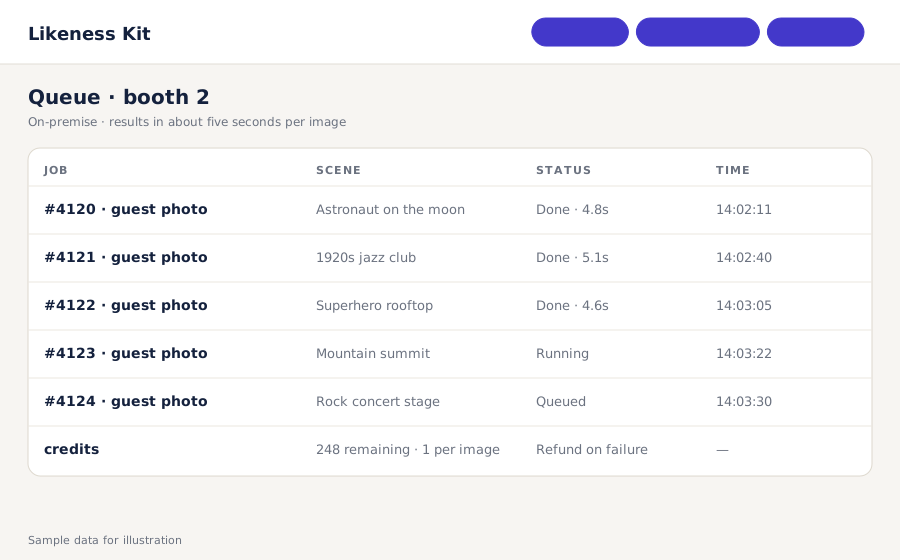
The admin view shows every job, timing and status. Failed jobs refund automatically. Export results at the end of the night.
Prices in USD. Requires a machine with an NVIDIA RTX 4090-class GPU (24 GB VRAM) that you provide. Operators are responsible for guest consent and local law; the front end includes a consent step and the terms require own-likeness or consented use only.
Not for processing. The engine, queue and front end run on the local machine. Internet is only needed if you deliver results by email or want remote admin.
One machine with an NVIDIA RTX 4090-class GPU. That handles a continuous line at roughly five seconds per image. Multiple machines need multiple licenses.
You. Photograph sets, commission illustrations, or generate them. The guide covers what makes a scene work: face-forward subject, even lighting, no hair or accessories covering the face area.
The front end requires a consent confirmation before submission and the license terms restrict use to the guest's own likeness or explicitly consented images. A content-safety classifier is on the roadmap; today, operators curate scenes and supervise the booth.
Not in the current release. Still images only; video insertion is planned for the updates track.
It's the same technology family, packaged to run entirely on hardware you own instead of a hosted app.
Bring a few scene images. We'll show the guest flow, the queue and the timing.
Request a demo